
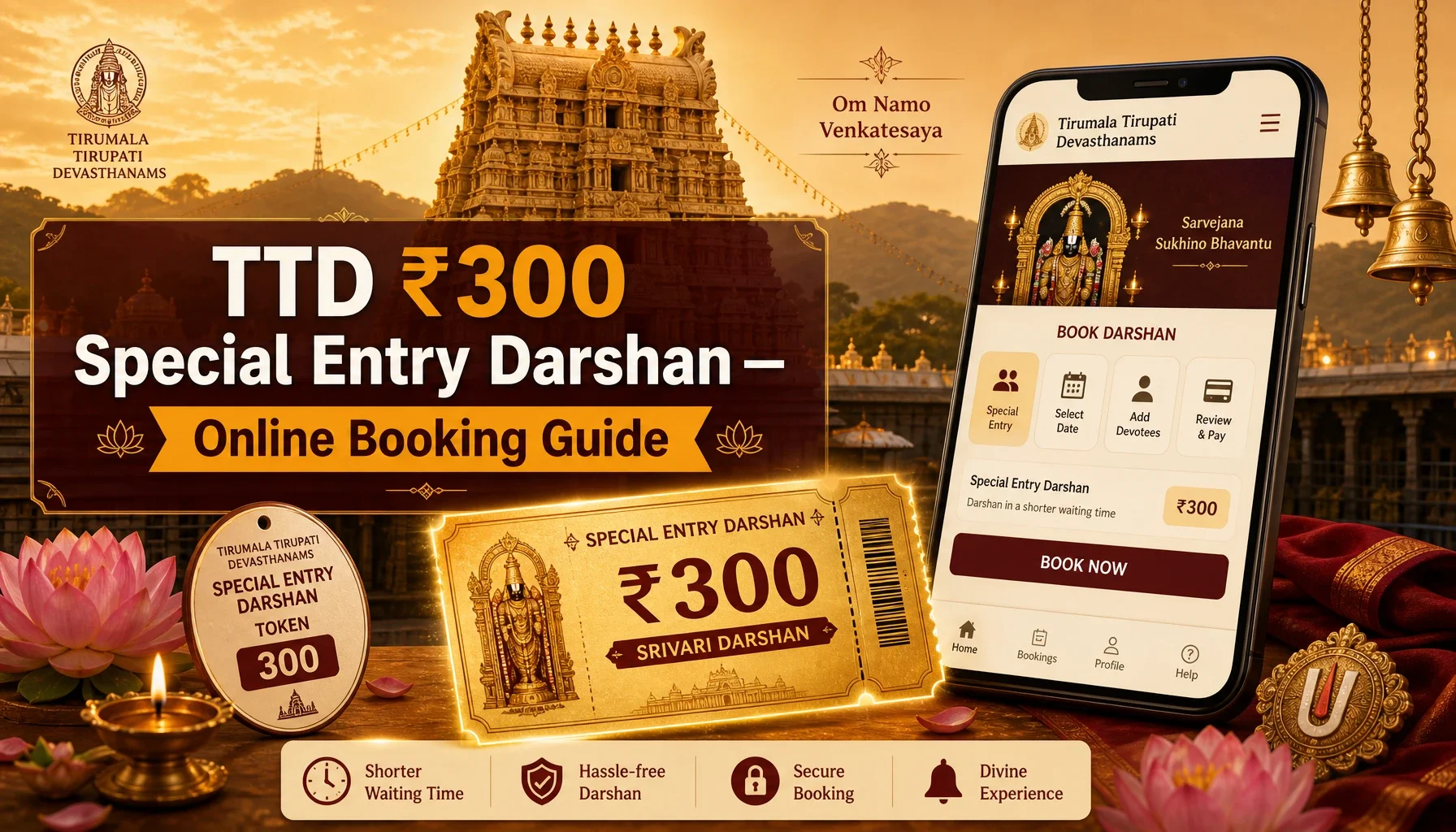
The TTD ₹300 Special Entry Darshan — officially called Seeghra Darshan — is the most popular paid darshan option for devotees visiting the Sri Venkateswara Swamy Temple at Tirumala. For ₹300 per person, you enter through a dedicated, well-managed queue with a wait of roughly 1 to 3 hours, instead of the 18–30 hour wait that Sarva Darshan (free darshan) can stretch to during peak season. Each ticket also includes one free Tirupati Laddu Prasadam and a fixed reporting time slot.
Table of Contents
This guide walks you through the complete booking process, the strict dress code, the entry/reporting point, required documents, and all the important guidelines you need for a smooth Tirumala pilgrimage.
What is the ₹300 Special Entry Darshan (Seeghra Darshan)?
It is a time-slotted, advance-booked, paid darshan facility managed entirely by Tirumala Tirupati Devasthanams (TTD). Key facts to understand before you book:
- Cost: ₹300 per person. Every rupee goes to the temple corpus (hundi) which funds temple operations and dharma activities.
- What you actually buy: A specific reporting time window (e.g., 7:00 AM–9:00 AM), not just "entry." You join a much shorter, organized queue at your slot.
- Booking mode: Online only. There is currently no offline counter for ₹300 tickets.
- Quota: Released month-wise (not day-wise), with roughly 15,000–25,000 tickets per day across the month. Slots often sell out within minutes.
- Free laddu: One Tirupati Laddu Prasadam is included with each ticket.
When Are ₹300 Tickets Released? (Release Pattern)
TTD releases tickets for an entire month at once, typically around 60 days in advance. The release schedule for the upcoming month is usually published on the official portal after the third Friday of each month (commonly around the 20th–25th).

For example, October 2026 tickets were released on 24 July 2026 at 10:00 AM IST. So if you need darshan in a particular month, watch for the release window roughly two months earlier.
Pro tip: Set a reminder, register your account 2–3 days in advance, and be logged in to the portal/app by 9:45–9:50 AM on the release day — not at 10:05.

Where to Book (Official Channels Only)
Book exclusively through:
- Official website: ttdevasthanams.ap.gov.in
- Official mobile app: TTD Govinda App (Android & iOS)
⚠️ Scam warning: Never book through third-party agents, WhatsApp groups, or unofficial websites. If a site charges ₹450, ₹600, or adds "service fees," close it immediately — these are scam sites. Fraudulent or mismatched tickets will result in denial of entry at the temple.
Step-by-Step: How to Book ₹300 Darshan Online
Step 1 — Register / create your account Visit ttdevasthanams.ap.gov.in or open the TTD Govinda App. Register with your mobile number and create a password. Do this 2–3 days before the release date so you're not stuck registering on the busy day.
Step 2 — Log in before release time On the release day, log in by 9:45–9:50 AM. The system often places you in a virtual queue (Virtual Q) with a timer ranging from 10 seconds to several minutes. Wait for the timer to finish — do not refresh aggressively once you're in the queue.
Step 3 — Select Special Entry Darshan (₹300) From the dashboard, choose the "Special Entry Darshan ₹300" option. The portal may take a minute to load as it checks live availability across all dates.
Step 4 — Choose your date Available dates appear in green. Pick a green (available) date for the month you need.
Step 5 — Choose your time slot Select an available reporting time slot for that date.
Step 6 — Enter pilgrim details Add details for each person: full name, age, gender, and ID card details. A maximum of 6 pilgrims per transaction is allowed under one account.
Step 7 — Make payment Pay the ₹300 per person using a secure method (UPI, debit/credit card, net banking). Read the refund/cancellation terms shown before checkout — last-minute cancellations generally don't qualify for refunds.
Step 8 — Download and save your ticket Once payment succeeds, download the confirmation PDF. Print a physical copy or save it offline. Carry it along with each pilgrim's original ID on darshan day.
Required Documents (ID Proof)
Every pilgrim must carry a valid government-issued photo ID that matches the ticket details. Accepted IDs include:
- Aadhaar Card (original or digital via mAadhaar) — preferred, since OTP login is linked to it
- PAN Card
- Voter ID
- Passport (mandatory for foreign nationals; OCI/PIO holders must also carry their passport)
Children: Kids below 12 years usually don't need a separate ticket and can enter free with adults, but carry age proof (birth certificate or Aadhaar). Entry will be refused if documents don't match the ticket.
Dress Code (Strictly Enforced)
TTD enforces a traditional Indian dress code at Tirumala. Entry will be denied if you don't follow it. Dress modestly and traditionally:
For Men:
- Dhoti / pancha with upper cloth, or
- Kurta-pyjama, or
- Shirt and trousers (formal/modest)
For Women:
- Saree, or
- Chudidar / salwar kameez with dupatta, or
- Half-saree (traditional)
Avoid: Shorts, mini-skirts, sleeveless tops, ripped/torn jeans, Bermudas, T-shirts with offensive prints, and any revealing or casual western wear. When in doubt, choose modest, traditional attire.
Entry / Reporting Point
- Reporting location: The point is printed on your ticket. For ₹300 Special Entry Darshan, the common reporting point is the ATC Car Parking area, near Vaikuntam Queue Complex–I (VQC-I), Tirumala. Always confirm the exact location on your own ticket.
- Report early: Arrive at least 30–60 minutes before your slot time. Reporting too early or too late may result in denial of entry.
- Late arrival: Entry is denied with no refund and no rescheduling.
- Darshan duration: The full process from queue entry to exit typically takes 1 to 3 hours depending on the crowd. Darshan inside the sanctum itself lasts a few seconds.
Important Guidelines & Tips
- Punctuality is everything. TTD follows a strict slot-based reporting system. Match your reporting time exactly.
- Carry minimal luggage. Free cloakroom / luggage counters are available near major entry points. Mobile phones and cameras are not allowed inside the temple.
- Collect your laddu. Keep your ticket safe — you'll need it to collect your free Tirupati Laddu Prasadam. Additional laddus can be purchased at official counters.
- Reaching Tirumala: Tirumala is about 11 km uphill from Tirupati via the ghat road. Use the TTD free bus service from Tirupati bus stand, or hire a private cab.
- Festival changes: During Brahmotsavam, Vaikunta Ekadasi, and other major festivals, darshan timings and quotas may change. Always check the latest update on ttdevasthanams.ap.gov.in before your visit.
- for updated news Tirupati trip
- Senior citizens & specially-abled pilgrims have a separate dedicated quota/queue — check the portal for that facility if applicable.
Quick Summary
| Detail | Information |
|---|---|
| Ticket name | Special Entry Darshan / Seeghra Darshan |
| Cost | ₹300 per person |
| Booking mode | Online only (website + Govinda App) |
| Official portal | ttdevasthanams.ap.gov.in |
| Release pattern | Month-wise, ~60 days in advance, usually 10:00 AM IST |
| Max per transaction | 6 pilgrims |
| ID required | Aadhaar / PAN / Voter ID / Passport |
| Reporting point | Near Vaikuntam Queue Complex–I, Tirumala (check ticket) |
| Report time | 30–60 min before slot |
| Includes | 1 free Tirupati Laddu Prasadam |
| Dress code | Traditional Indian attire (mandatory) |
All information is based on TTD's official portal and public announcements. Release dates, timings, and quotas are set by TTD and may change — always verify on ttdevasthanams.ap.gov.in before booking or travelling.
